Arkendu TMS was written inside a working fleet, screen by screen, against problems that were costing real money. What follows is not a wish list — it is what is in the product today, and all of it is in the demo.
Distance and the current diesel rate give a fuel figure, the lane gives an advance and a toll allowance, and that becomes the trip's budget. Every voucher raised afterwards is capped to it. An overrun has to be raised as an extra, which means it is visible on a screen instead of buried in a total.
The person who raises a voucher is not the person who approves it, and not the person who marks it paid. Each step is stamped with a user and a time. It is the control an auditor asks for and the one that stops a fleet leaking money quietly.
Upload the Fastag statement and each debit is matched to a trip by registration number and date window, then posted as a paid expense against that trip. The plaza positions also land on the tracking map, which is useful on the lanes where the GPS box has gone quiet.
E-Way bills approaching expiry, PODs that have not come back, documents due for renewal, invoices past their credit period. Each one has a screen that only shows what is still open, so nothing depends on somebody remembering.
One licence, one login. There is no edition that withholds half of this.
The trip itself, from the customer's order to the proof of delivery coming back.
Customer orders captured against agreed lanes, with the contracted rate, expected transit and trip cost pulled in automatically.
Assign a truck to an order, plan the reporting date, and watch the trip move through placed, reported, loaded and departed.
Raise the LR at loading with consignor, consignee, material, weight, E-Way details and a derived ETA.
Record arrival at destination, unloading, and the proof of delivery coming back - with a pending list that never lets one slip.
Every running trip on one screen: where the truck is, how far is left, whether the E-Way bill is about to expire, and what is late.
Where the truck is, what it is spending on the road, and what is about to lapse.
GPS positions plotted per vehicle with status, standing days and a day-by-day timeline of where the fleet has been.
Import the toll statement, match every debit to a trip by plate and date window, and post the expense without keying it.
Bills approaching validity are surfaced on the dashboard and pushed out before they lapse, not after.
What a trip is allowed to cost, and what it actually cost.
A budget per trip for fuel, driver advance and tolls, derived from distance and the current diesel rate, approved before money moves.
Maker-checker vouchers capped to the trip budget, with extras raised separately so an overrun is visible rather than absorbed.
Invoicing the freight you have delivered, and collecting for it.
Build an invoice from delivered, POD-backed consignments. Correct IGST or CGST and SGST treatment, and a snapshot that reprints identically years later.
Ageing by customer against agreed credit periods, with receipts, TDS and write-offs allocated against the right bills.
The screens for the people who read the numbers rather than enter them.
Fleet status, today's movements, and where each truck actually is - the screen the traffic desk keeps open.
Revenue, direct cost, margin and cash position for the people who own the numbers rather than enter them.
What has to be paid out today and this week, netted against what is coming in - so provisioning is a decision, not a scramble.
The assets and the people who drive them.
Insurance, fitness, PUC, tax, permit and VLTD expiries tracked per vehicle, with renewal cost captured against each document.
Job cards, inspections, stock issues and insurance claims kept against the vehicle they belong to.
Driver master, vehicle allocation history, licence expiry, and attendance for the office staff alongside it.
Loads you do not run on your own trucks.
Market trips run through brokers, with advance, driver payment and POD balance tracked to a closing position per load.
The reference data everything else is derived from.
Customer-wise lane rates with effective dates, distances and expected transit days, feeding every indent automatically.
Who can see what, and getting data back out.
Screen-level rights per role, so the traffic desk, accounts and management each see their own system.
Every list exports to Excel with the filters you applied, because the question after the report is always a different one.
Every screen below is captured from the live demo, running the same generated fleet you get when you sign in. Nothing here is a rendering of something we intend to build.
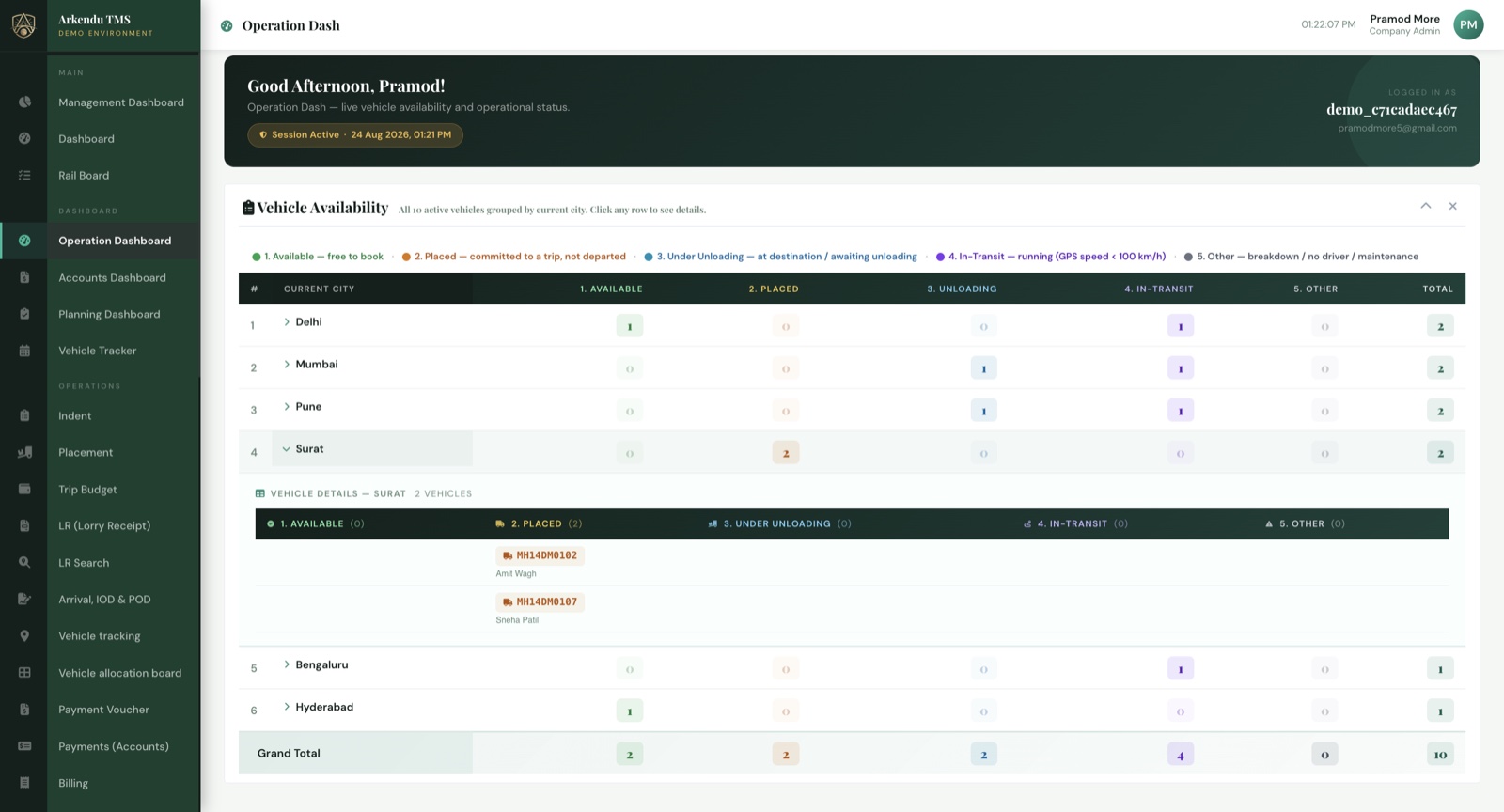
Every truck, where it is and what it is doing, on the screen the traffic desk keeps open all day.
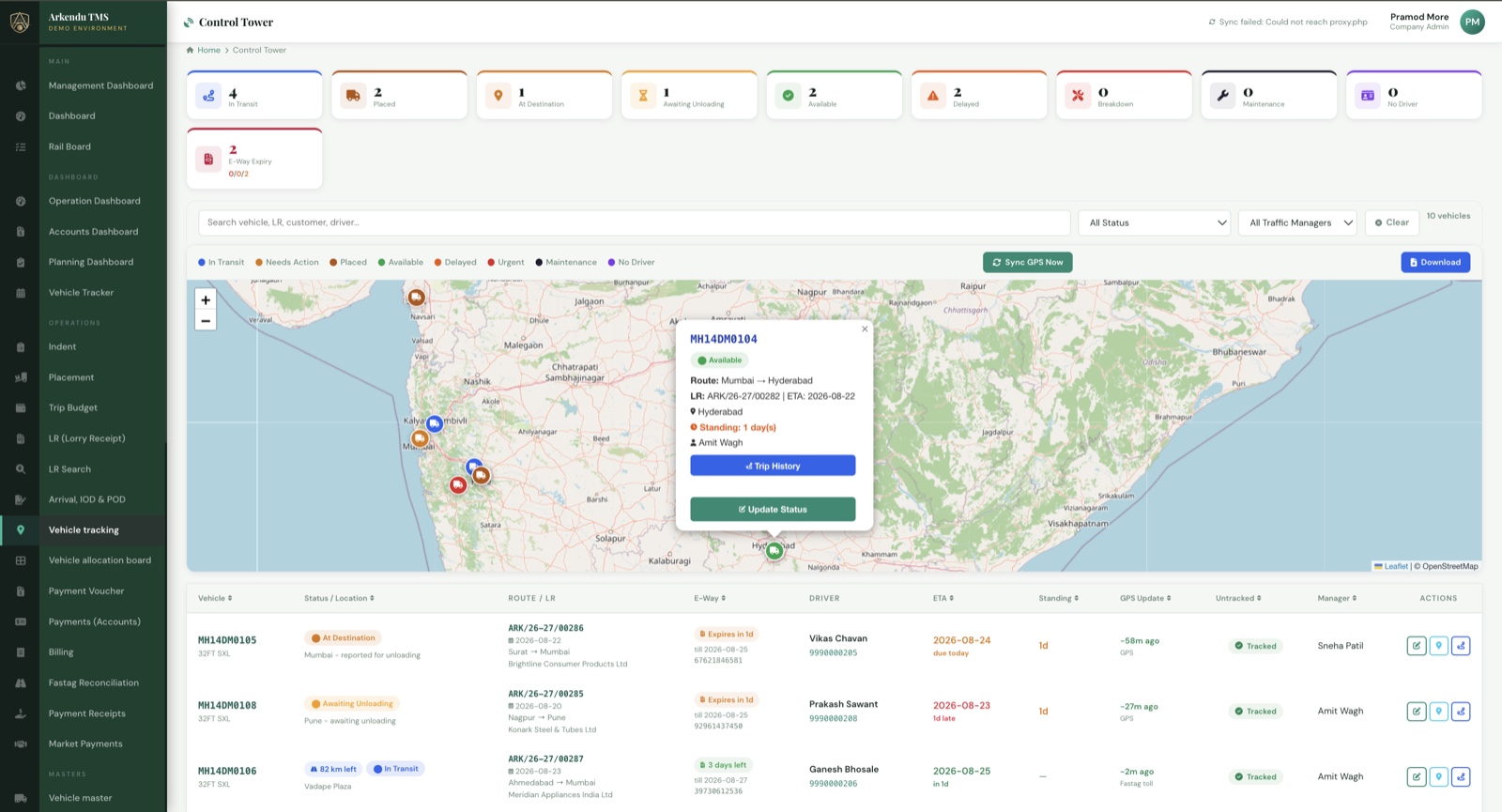
GPS positions against the trip they belong to, with standing days and delay flags.
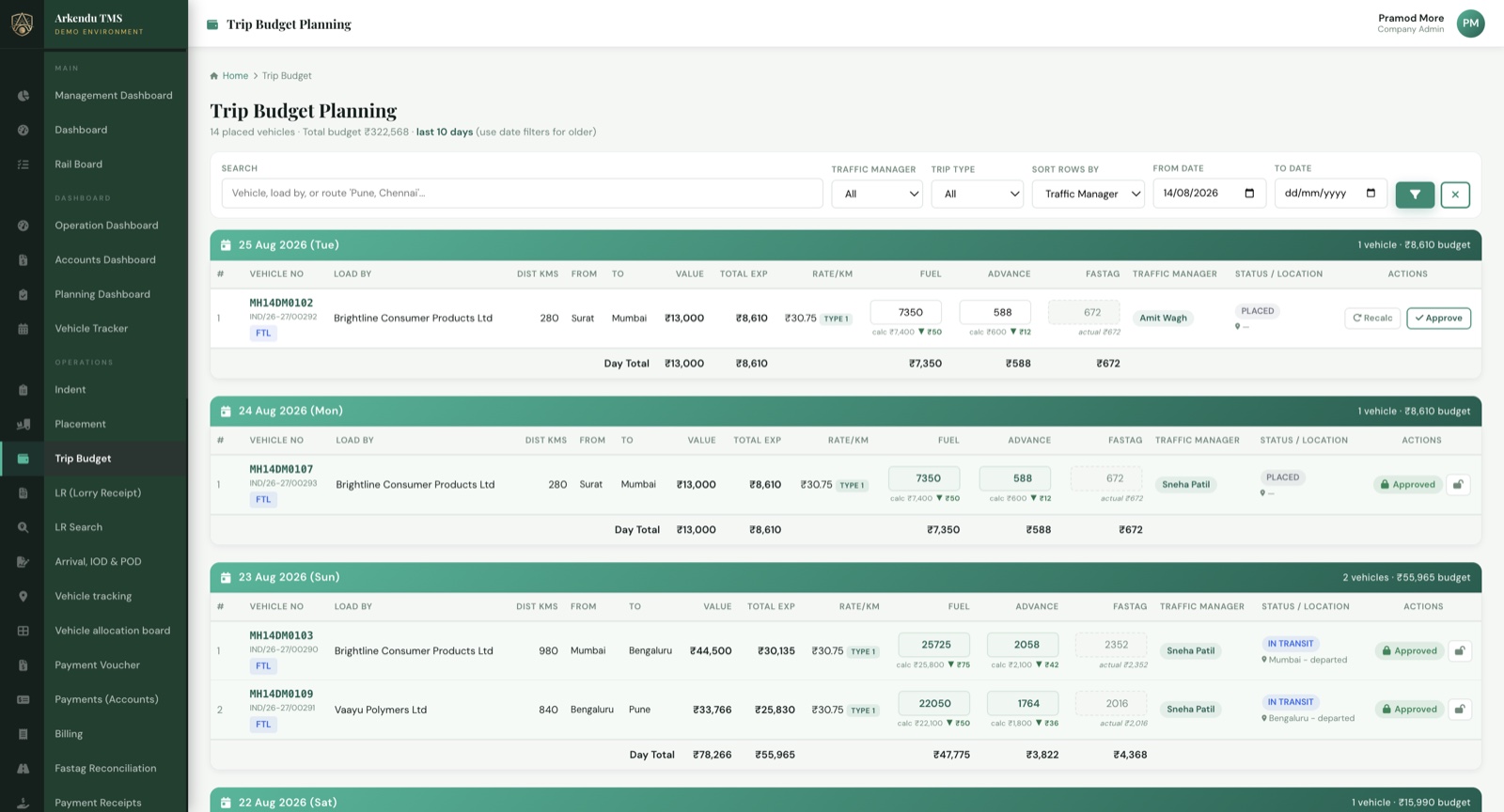
Fuel, driver advance and tolls costed from the distance before the truck loads, and approved before money moves.
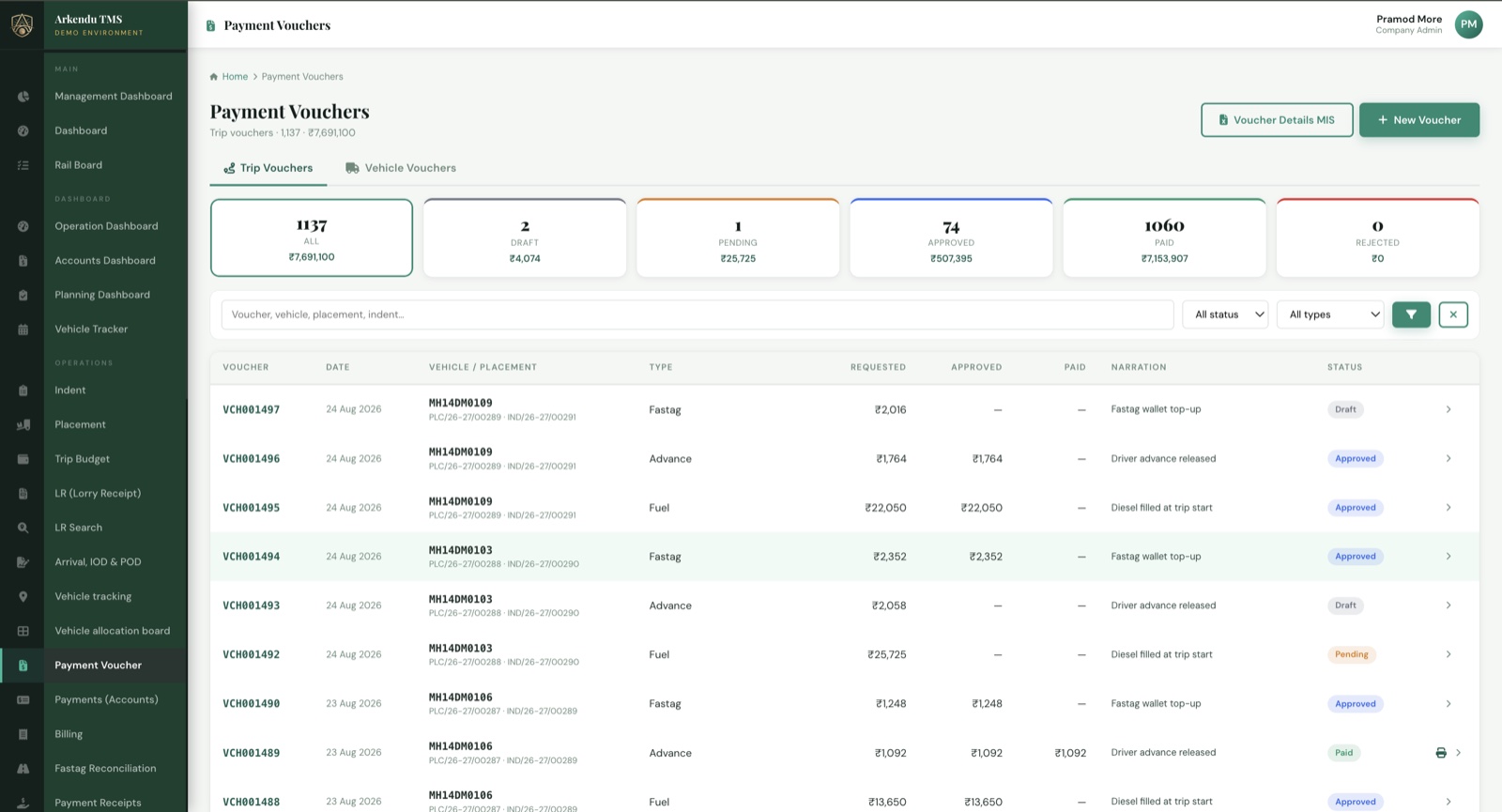
Maker, checker and payer are three different people, and every voucher is capped to the trip budget.
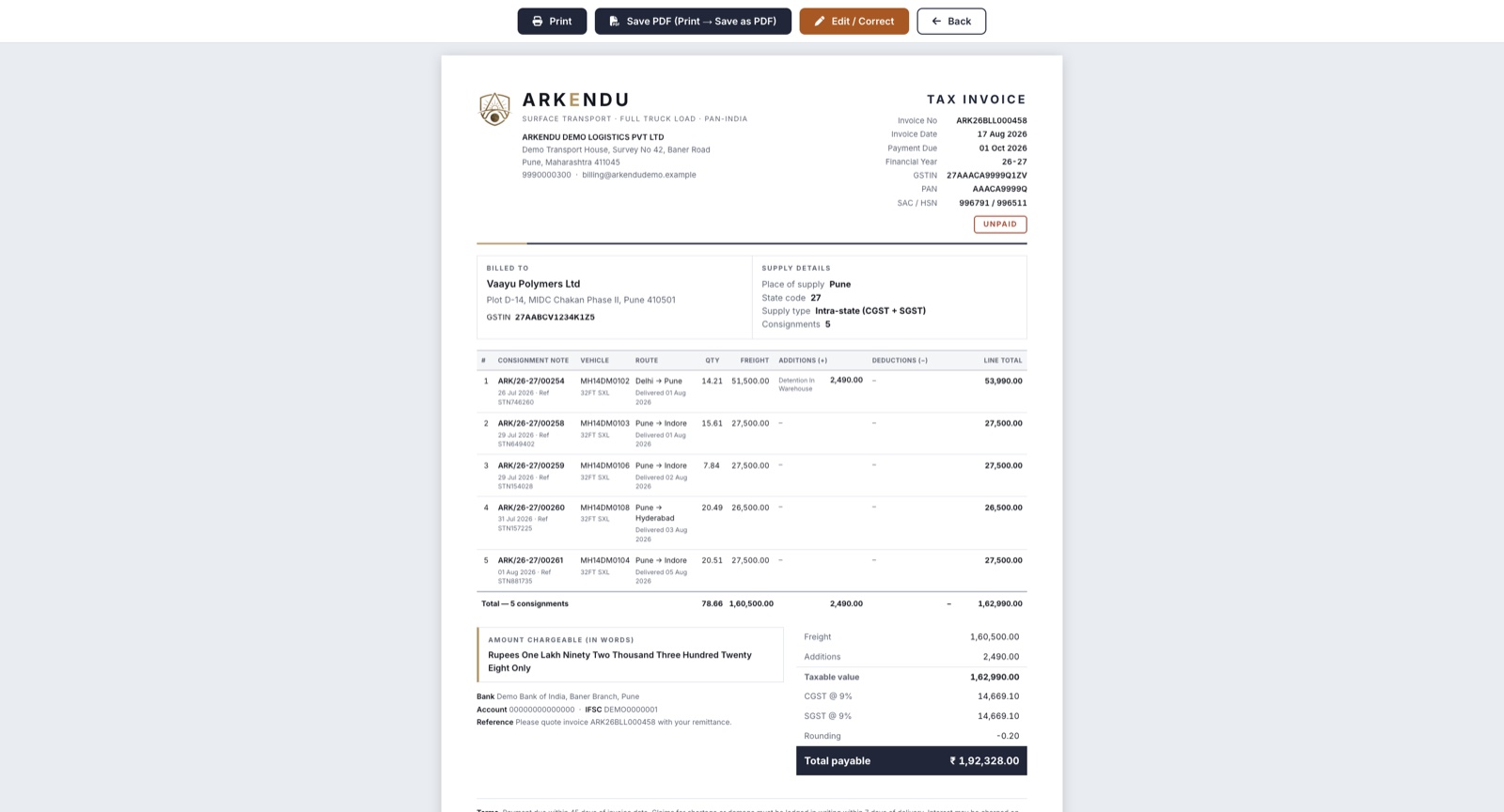
Built from delivered, POD-backed consignments. The snapshot reprints identically years later.
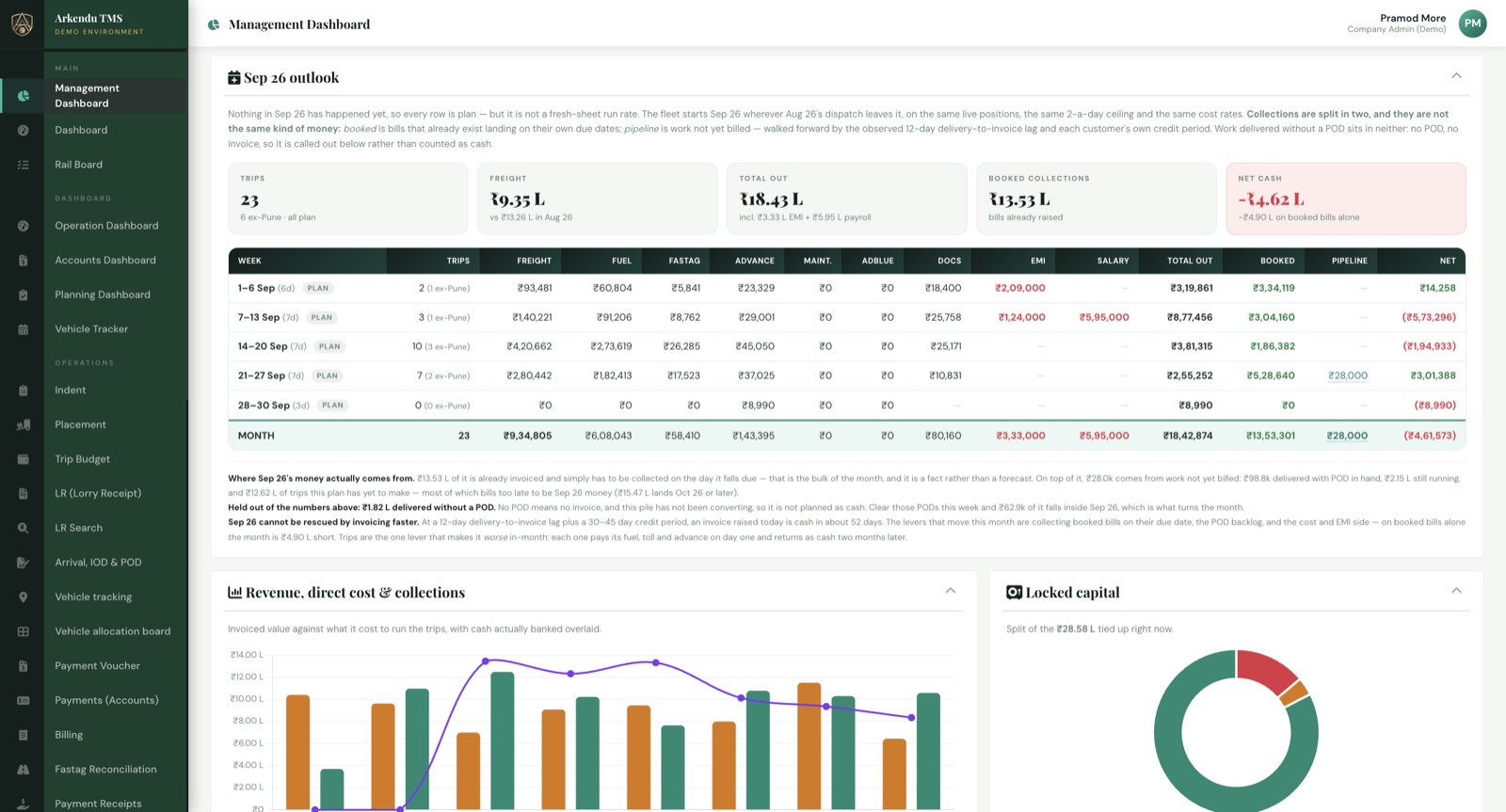
Revenue, direct cost, margin and cash position, for the people who read the numbers rather than enter them.
Nothing to install. It works on a desk machine, and the screens the yard and the drivers' supervisors need work on a phone.
We take positions from the tracking provider you already pay, and tolls from the Fastag statement you already download. Changing vendors is not part of this.
Login verification, and alerts on the things that cost money if they are missed. Not a notification for every keystroke.
Every list exports with the filters you applied. The question after a report is always a different one, and it usually gets answered in a spreadsheet.
Screen-level rights per role. The traffic desk does not see the P&L and accounts does not reassign trucks.
Old trips, old bills and outstanding balances can be brought across during implementation, so day one is not a blank system.
Three days of full access to a working system with months of history behind it will tell you more than this page can.